$500 OFF implementation services when you switch to Aplos *

*For advanced plan with implementation purchase. Offer expires July 30, 2024.
aplos vs. quickbooks®

The nonprofit Accounting QuickBooks® Alternative

Go beyond business accounting, use the only purpose-built solution designed for the way your nonprofit operates. Ditch the clunky QuickBooks® workarounds and switch to Aplos.

Talk to Sales

Start for Free

Say goodbye to QuickBooks® workarounds

Save time, reduce errors, and avoid risk, with the only solution built exclusively for nonprofit fund accounting.

Jobs to be Done
1. 990 Reporting
2. Tracking Revenue by Fund
3. Tracking Budgets by Fund
4. Providing Transparency to a Board or Donor
5. Getting software support
QuickBooks®
(Generic accounting software)
No 990 reports built in. Users must manually complete the 990 based on generic financial statements.
Requires workarounds using classes or liability accounts to simulate restricted funds; can’t track true Fund Balances without exporting to excel.
Requires manual setup and robust class tracking; often requires exporting to excel in order to pull grants that are budgeted across multiple fiscal years.
Generates standard financial reports (e.g., P&L, Balance Sheet); often requires manual translation of reports into non-accountant language for board review.
Generic support that is tough to get in touch with. Most support is provided via email and phone support is generally hard to come by. Support reps are trained in business accounting, requiring organizations to explain basic nonprofit accounting requirements.
Aplos 
(Nonprofit accounting software)
990 reports built in. Easily categorize transactions with tags and run prebuilt 990 reports to make filing a breeze.
Core function. Utilizes true Fund Accounting to easily track and report on Unrestricted, Temporarily Restricted, and Permanently Restricted revenue and net assets.
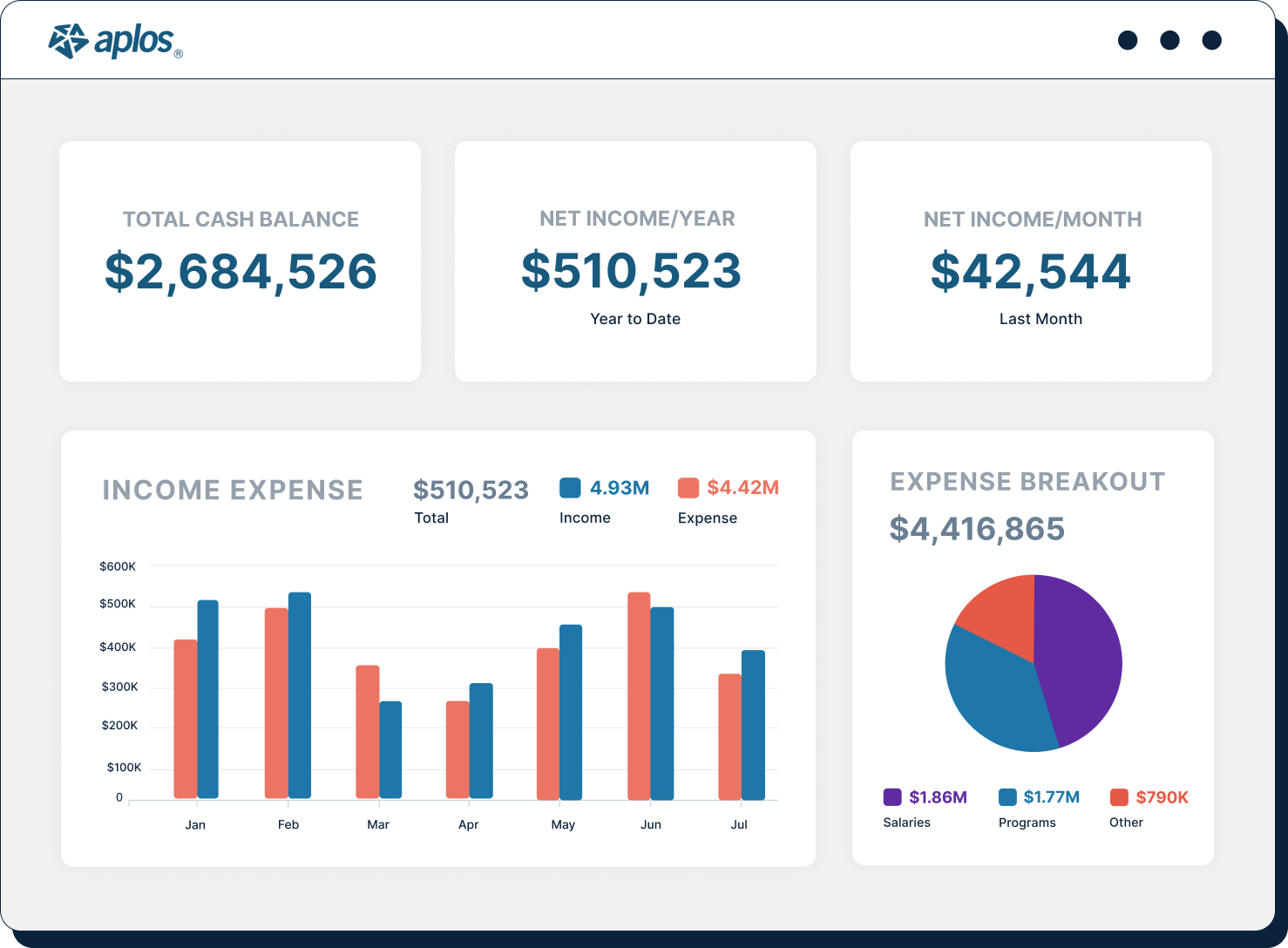
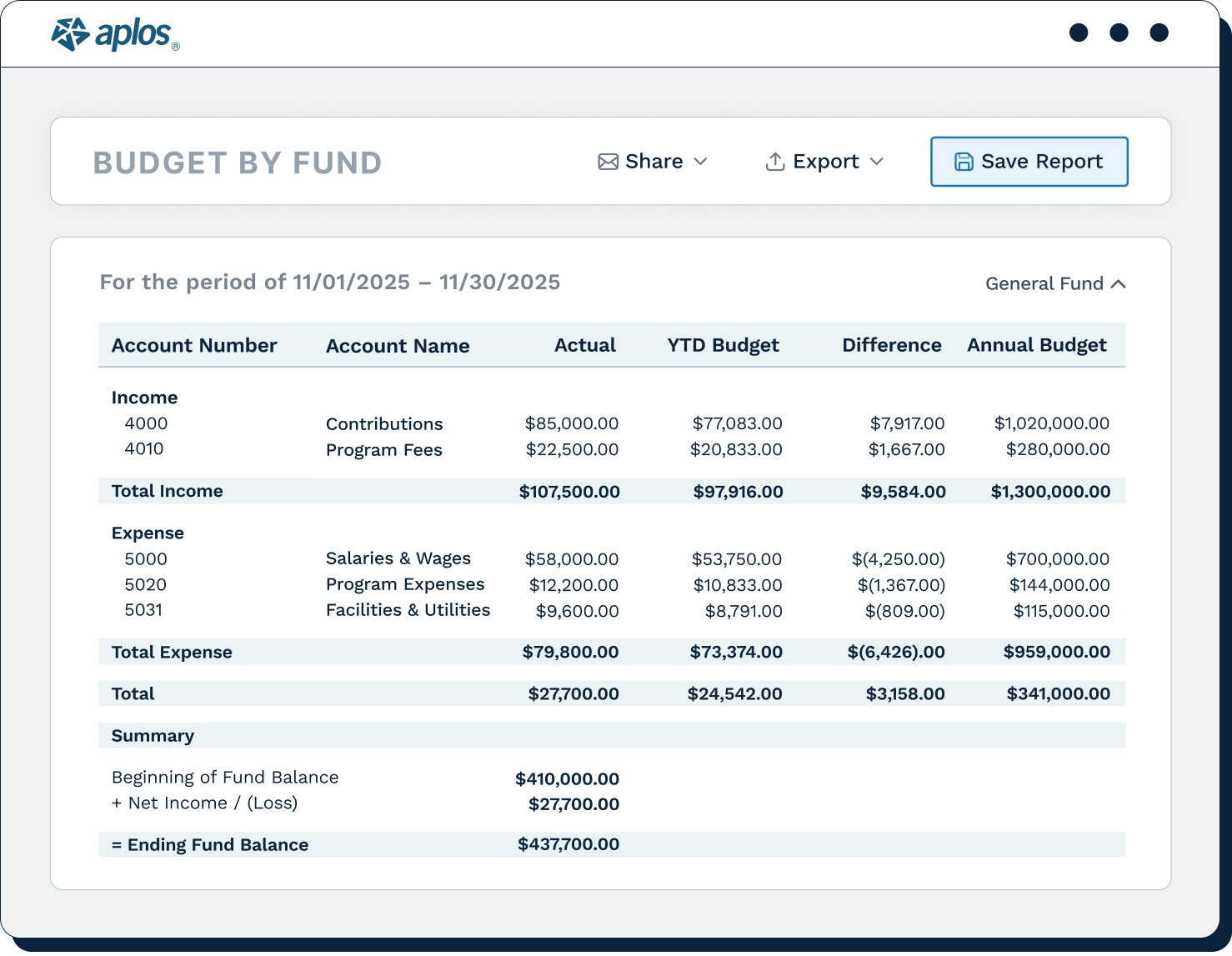
Built-in capability to create detailed budgets for each fund, allowing users to run budget-to-actual reports specifically tailored to the requirements of the grant or restriction.
Provides nonprofit-specific reports that are easily shareable like the Statement of Financial Position and Statement of Activities by Fund.
Nonprofit expert support. Get answers quickly via phone, email or live chat from experts that understand nonprofit financial requirements.

What our customers say

“I used quickbooks for years and it was very difficult for a fund-based organization. Aplos solves all that by how it is set up! I love the reports, I love how easy it is to reconcile my accounts. It is easy to navigate and has been a dream to use.”

Kim B.

"We switched from Quickbooks to Aplos nearly three years ago, and we've never regretted the switch for one second. Aplos is genuinely a financial software package for Nonprofits. It fits our needs well. Using software designed specifically for a nonprofit makes a world of difference."

Kevin L.

"We were struggling daily with accounting and donor entries through QuickBooks. Finding Aplos was the absolute best business decision we made. It now takes a fraction of the time and money to be able to enter and access our information and actually track donors and special projects."

Paula M.

“We are never going back to Quickbooks®. It was so easy to switch - they offered a step by step guide. Once we learned Aplos, we realized what we were missing. Worth the switch!”

T Simmons

“I used to use QuickBooks and hated it. This is so much easier to do accounting. Very straightforward, easy to see at a glance, and know what is going on. Reports are easy to come by and if you cannot figure something out, support is easy to get."

Pamela K.

"We'd previously used Quickbooks Online, which is great for general use, but makes fund accounting very difficult, so Aplos has solved that problem for us by providing a customized solution for our nonprofit needs.”

David R.
Left arrow icon
Right arrow icon

How to migrate from QuickBooks® to Aplos

1

Export data from Quickbooks

Export your Chart of Accounts, Bank Reconciliation Report, Contacts (Donors/Vendors), and run a Trial Balance Report for your cut-off date from Quickbooks.

2

Define Funds and Map Destination

Map your Quickbooks Accounts and Classes to your new Aplos Accounts and Funds or Tags.

3

Import data to Aplos

Use the Aplos import tool or our free service to upload your Chart of Accounts and Contacts, then set up your new Funds.

4

Import and configure data

Use the Trial Balance Report from Step 1 to enter the correct starting balance for every account in Aplos via a single journal entry.

5

Reconcile, review and go live

Enter any outstanding transactions per your Bank Reconciliation reports, as well as any outstanding (unpaid) Invoices or Bills. Run and compare reports in Aplos with reports in Quickbooks.

Hundreds of nonprofits ditch QuickBooks® for Aplos every year 

4.6 out of 5 based on 243 reviews from our customers on G2, Capterra, and Software Advice.

Capterra shortlist 2024 badgeGetApp category leaders 2024 badgeSoftware Advice front runners 2024 badge2025 Fund Accounting Software Top Performer badgeRecognized as Users Most Likely To Recommend by customersRecognized as Momentum Leader by customersRecognized as Top 50 non-profit software products by customers

Try Aplos for free

Aplos includes everything you need to manage your finances, prepare your reports and achieve your mission.

check list icon
Free Email & Phone Support

Aplos Software is intuitive and easy to use, but it's normal to have questions. Support from our award-winning team is included with every package, and we encourage you to reach out when you need help.

  • Contact support by email, phone, or chat
  • Always talk to a live person instead of a bot
  • Know your needs are understood since many of our team members come from a nonprofit or church world
Live & On-Demand Training

Our experts provide live, ongoing training for all customers so you have real people who will provide knowledgeable advice and tips for best practices.

  • Join weekly live webinars to learn from our experts
  • Find resources in the Support Center to get more in-depth understanding of the software
  • Watch tutorials in the Training Center to learn features and concepts at your own pace
True Fund Accounting

Track designated funds, such as your missions fund, building fund, or grants. Keep your finances accurate and transparent to show your members, supporters, and board that you are stewarding your gifts well.

  • Create a flexible chart of accounts that fits your organization's structure
  • Easily identify your tax-deductible income by purpose
  • Keep track of gifts with donor restrictions to make sure they are used for the correct purposes
  • Ensure you are using donations with time restrictions during the designated time periods
  • Import transactions from your bank to your books
  • Create journal entries for fund transfers and payroll imports
  • Print checks
  • Complete bank reconciliations
  • Track 1099s
check list icon
Donation Tracking & Giving Statements

All donations given online are tracked by donor and purpose with zero work required. Tax-deductible gifts are tracked by individuals or households so you can quickly prepare monthly, quarterly, or annual giving statements with a single click.

  • Generate donation reports and customizable giving statements
  • Track in-kind and special gifts
  • Keep track of online and offline donations
  • Quickly import donation batches
check list icon
Multi-Factor Authentication

MFA (Multi-Factor Authentication) protects against emerging security threats, empowering your nonprofit to stay ahead of potential risks and safeguard valuable data and your organization's reputation.

  • Generate donation reports and customizable giving statements
  • Track in-kind and special gifts
  • Keep track of online and offline donations
  • Quickly import donation batches
Integrated Online Giving Tools

Create unlimited custom, mobile-friendly giving forms, or add a widget to your website so people can give securely without ever having to leave your site. No coding required.

  • Allow people to use their preferred payment method and control how often they give
  • Offer the option for donors to pay transaction fees
  • Allow donors to specify the purposes of their gifts
  • Easily track online gifts since they flow seamlessly into your accounting
check list icon
True Fund Accounting
check list icon
Live & On-Demand Training
Merchant Account For Secure Payments

Securely collect donations and other payments using our payment partners. They are fully PCI compliant, use data encryption, and monitor for fraud.

  • Securely accept debit, credit, and ACH bank withdrawals
  • Accept one-time or recurring gifts
  • Directly receive gifts without the need of going through a third party with long delays
  • You must have a U.S. or Canadian bank to accept online payments using Aplos
People & Donor CRM Database

Leverage your dynamic donor database to view the details you need to know about your people, including communication activity, notes, relationships, and giving history all in one place.

  • Use custom fields to track the exact information you need
  • Segment and group people with smart lists to reach the right people
  • View individual profiles as well as households
  • Use the check-in feature to track attendance for kids and adults
check list icon
Bank Reconciliation
Secure Donor Portal

Each donor can create a My Aplos account to log in to a secure portal in the online giving platform. From there, donors can:

  • Manage their own giving to your organization
  • View their contribution history
  • Download their giving statements
  • Update their payment information
Letter & Email Builders

Customize templates for your letters and emails. Create and save welcome emails, thank you letters, automated giving statements, pledge reminders, and more.

  • Use dynamic fields for personalization
  • Address letters to individuals or households
  • Create and print mailing labels
  • Automatically log communication records on your contacts' profiles
Website Builder

Share your cause with an easy-to-build website using one of our customizable templates. Get started in just minutes. No coding experience is needed.

  • Engage your supporters with dynamic content, such as photo galleries and recent news
  • Website hosting fees are included in your subscription to Aplos
  • Your website is securely hosted for you and directed to any custom domain you purchase
check list icon
Merchant Accounts
check list icon
Balance Sheet By Fund
check list icon
Customizable Reporting
Customizable Reporting & Dashboards

Slice and dice your financial reporting to see the exact data you need across your organization, including giving reports.

  • Customize necessary reports, such as your Balance Sheet by Fund or Income Statement by Fund
  • Gain insights into your financial health with a fundraising dashboard
  • Create multi-level donation reports to share with your board
  • Quickly and accurately prepare and file Form 990-N and Form 990-EZ returns online

Download our complete pricing & features guide

QuickBooks® and Aplos frequently asked questions

How does switching from QuickBooks® to Aplos work?

Switching from QuickBooks to Aplos for nonprofits means moving from a general ledger system to a specialized fund accounting platform. This transition involves working with our services team to set up fund-specific accounts and import contacts and historical data. To learn more, watch this video on How to Switch from Quickbooks to Aplos.

Right chevron arrow icon

What types of organizations use Aplos?

Aplos serves not-for-profit organizations of all kinds, including foundations, charities, NGOs, faith-based organizations, private and charter schools, and more.

Whether you're just getting started or you've been in operation for years, Aplos will grow with you as your organization expands. You can track donations, manage volunteers, and ensure compliance at all stages of your organization's maturity.

Right chevron arrow icon

What is customer service like at Aplos?

You’ll be able to reach our support team via phone, email, and chat. You can schedule a one-on-one appointment anytime you need to. We're proud to offer award-winning customer service from our friendly support team members who can answer your questions. We also have a dedicated knowledge base and online community where you can find answers to your questions.

Our five-star service rating speaks for itself. We don't just want to meet your expectations; we want to exceed them. You'll get unlimited customer support every step of the way, starting with onboarding and financial data migration. We'll also be there for you long after you're up and running.

Right chevron arrow icon

What can I do besides accounting with Aplos? How about payroll?

We have several plans to fit your needs and budget. Give us a call to discuss them at (888) 274-1316 or drop us a line at sales@aplos.com.  We have options for everything you need to run your organization, including:

check list icon

Fund and tag accounting

check list icon

Donation tracking

check list icon

Finance & budgeting, including customizable reports

check list icon

Track assets

check list icon

Donor management & communication

check list icon

Online giving

check list icon

Gusto payroll integration

With Aplos, there's no need for multiple software programs. Our platform is designed to be your one-stop shop for nonprofit accounting and management. One simple login gives you access to everything you need in our cloud-based software.

It is perfect for nonprofit organizations of all sizes. From start to finish, our software is designed to save you time and money.

Right chevron arrow icon
finance startup icon

Ready to make the switch?

Start a free trial, or talk to our team of experts about how to get started with Aplos today.

Talk to Sales

Start for Free