What sets Aplos apart

Eliminate manual entry: Connect bank accounts to review transactions directly in Aplos—no more copying data between your bank and accounting software.
See cash clearly: Bank Integration updates records in real time so your team gets a clear view of cash flow without waiting for manual updates.
Fast month-end closing: Smart matching, clean payee details, and review controls help you streamline reconciliation and close with confidence.

“The staff and our board have gained a much better financial literacy and understanding of where we’re at as an organization.”

“The donation management platform is worth it by itself. It's a very crucial part in bringing in money to nonprofits and Aplos allows you to track all of the data.”


“I only need to spend a couple of hours a month on our financials. Running reports for our meetings and taxes is a breeze.”

“This product took several things that we were doing separately and put them all together in one place.”


“I like that everything is all together in one spot - donor software, accounting, newsletters and online giving forms.”

“We are so pleased to find such a user-friendly, all encompassing donor and accounting database!”


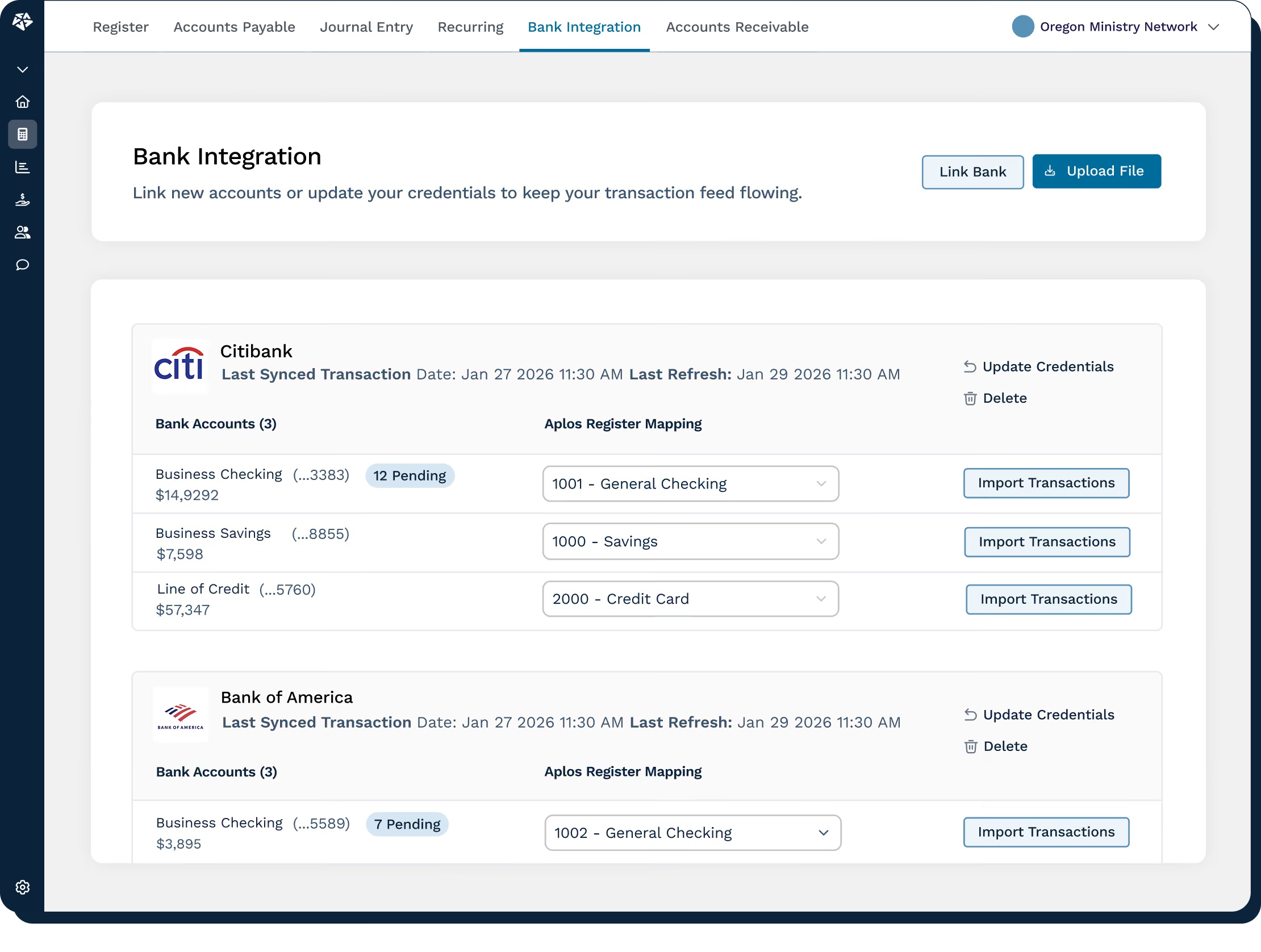
Bank Integration in Aplos ensures your team can move bank data into your accounting records with minimal effort.

.svg)
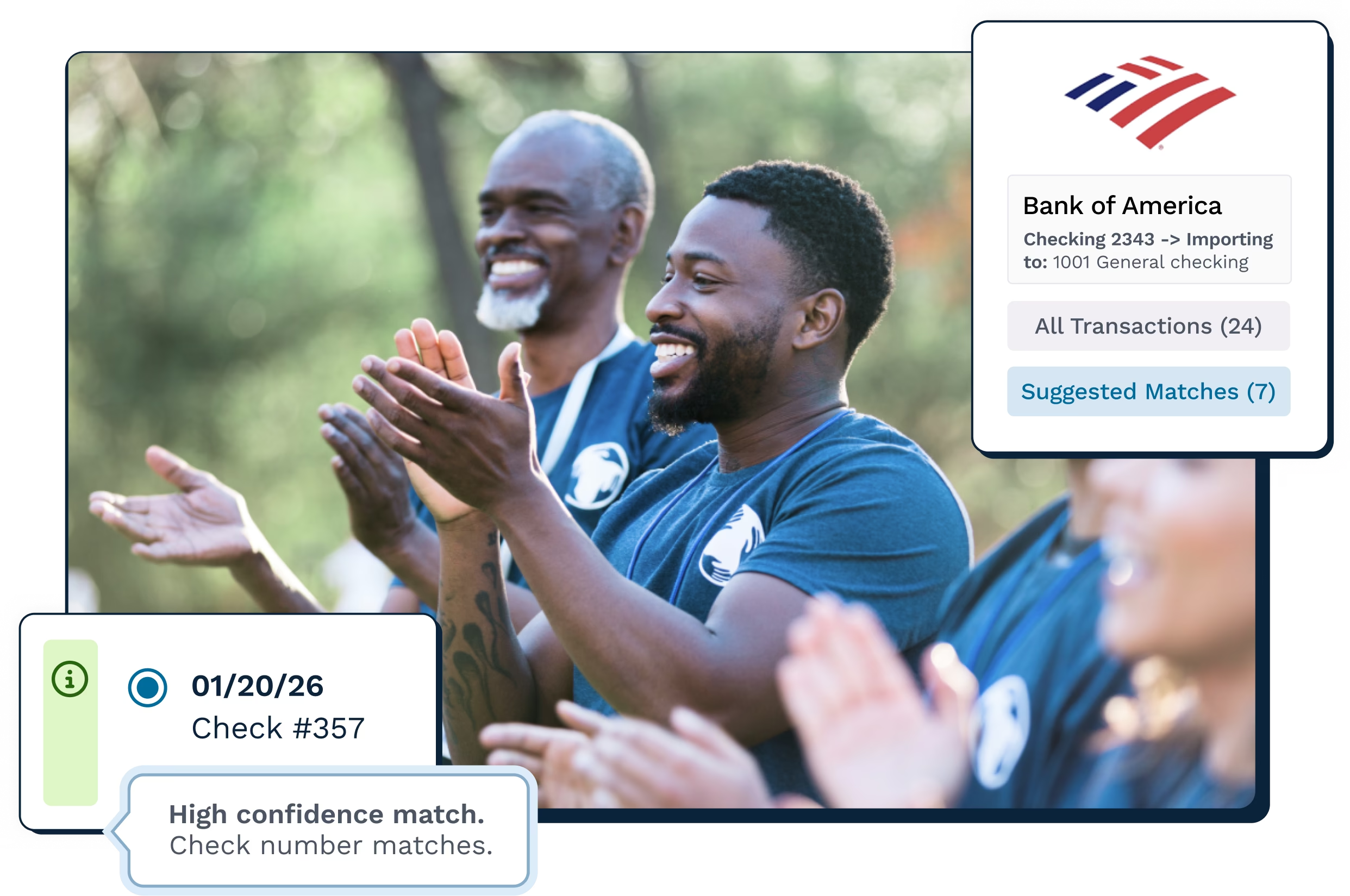
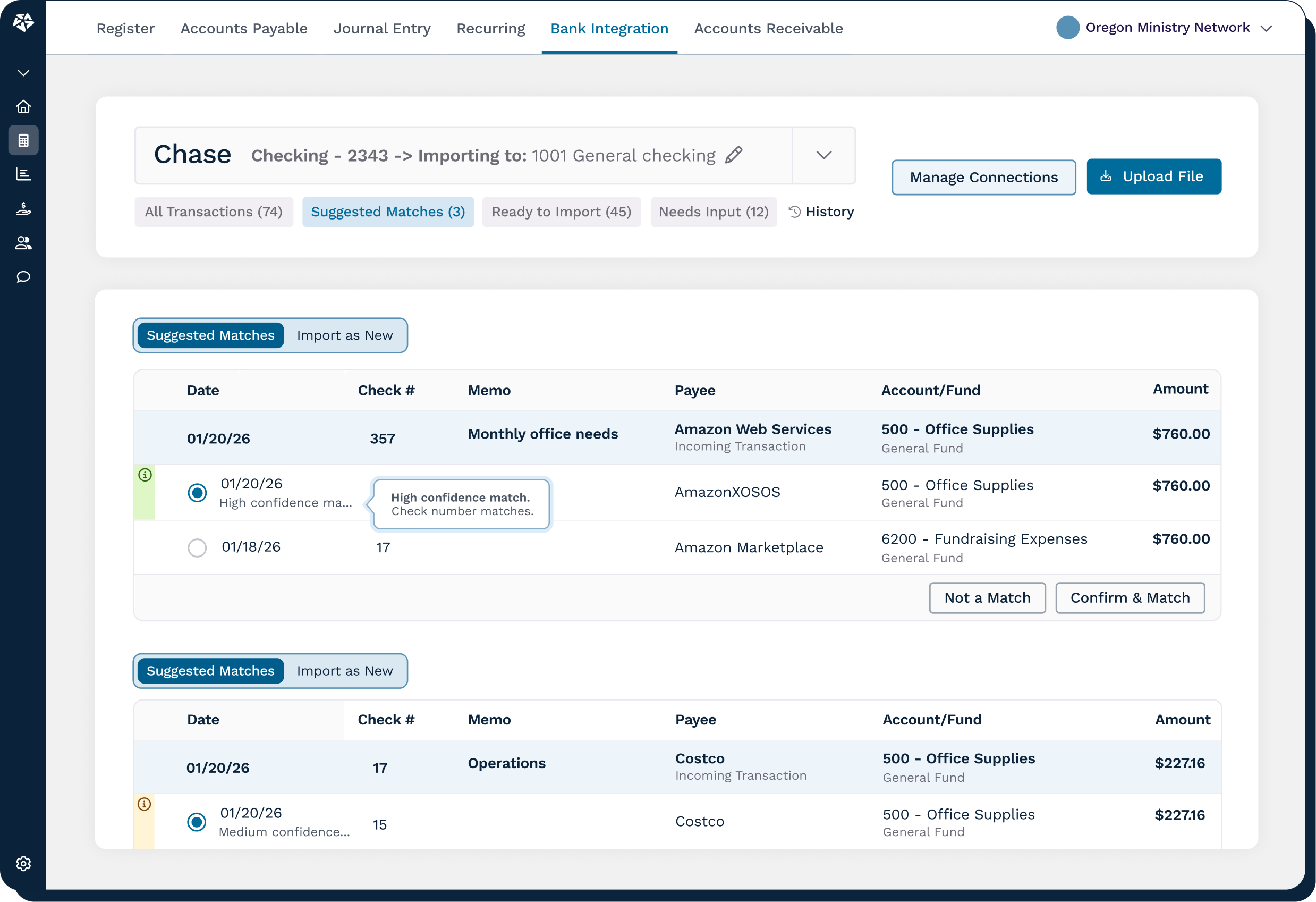
Match imported bank activity to existing register entries with confidence indicators that make review faster and clearer.
Review transactions before they reach your register, then choose what to import so your accounting records stay accurate and controlled.
Our bank connection is supported through Plaid for a secure and trusted path for bank activity to flow into Aplos for review.
Select multiple eligible accounts during a single connection flow, helping your team manage more bank activity without repeating setup.
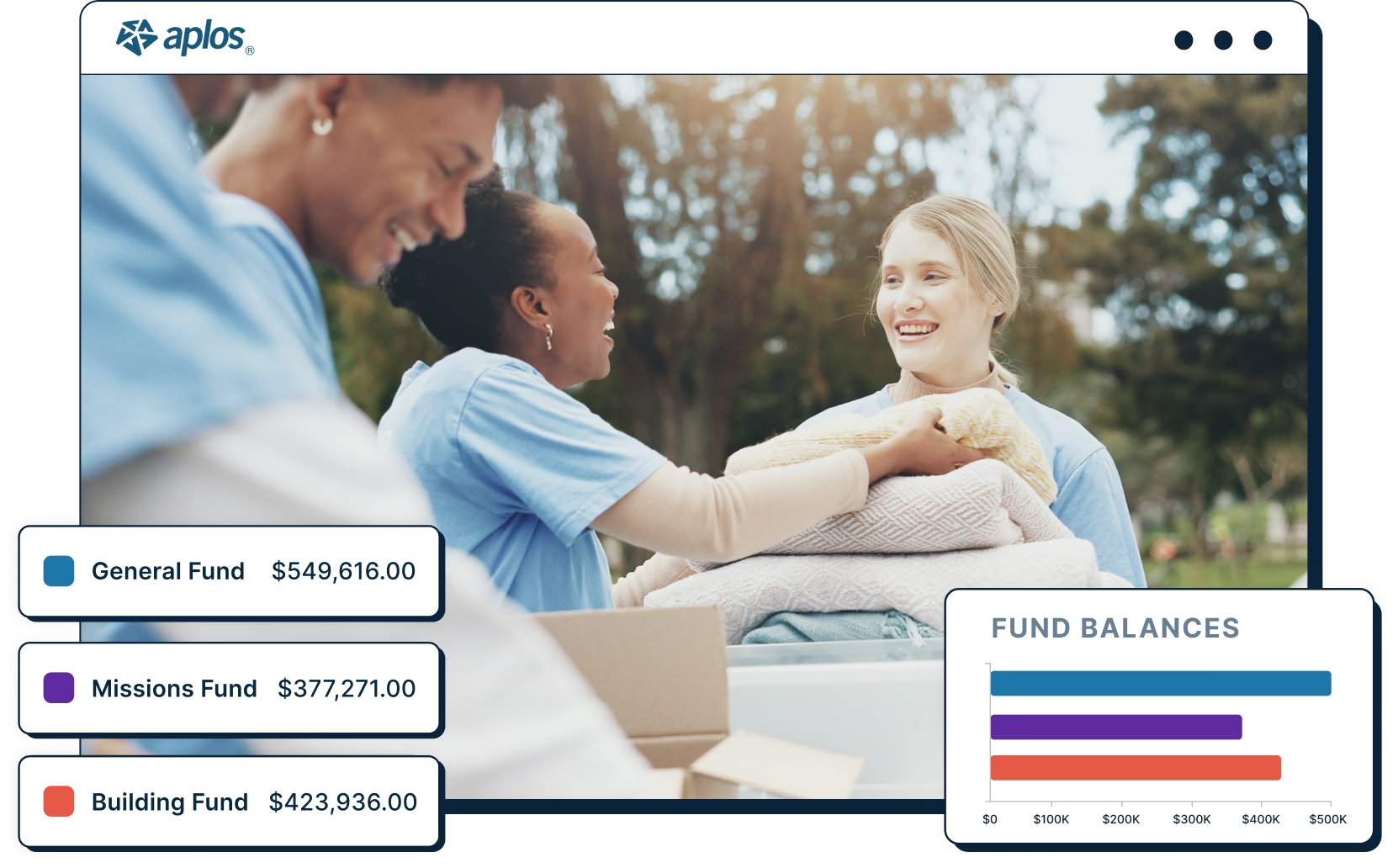
Compliance and accountability across all restricted and unrestricted funds.
Segment finances by custom labels fit to your needs.
Reports your board, funders, and auditors can rely on.
4.6 out of 5 based on 276 reviews from our customers on G2, Capterra, and Software Advice.




.png)
.png)
.png)
Aplos includes everything you need to manage your finances, prepare your reports and achieve your mission.
Aplos Software is intuitive and easy to use, but it's normal to have questions. Support from our award-winning team is included with every package, and we encourage you to reach out when you need help.
Our experts provide live, ongoing training for all customers so you have real people who will provide knowledgeable advice and tips for best practices.
Track designated funds, such as your missions fund, building fund, or grants. Keep your finances accurate and transparent to show your members, supporters, and board that you are stewarding your gifts well.
All donations given online are tracked by donor and purpose with zero work required. Tax-deductible gifts are tracked by individuals or households so you can quickly prepare monthly, quarterly, or annual giving statements with a single click.
MFA (Multi-Factor Authentication) protects against emerging security threats, empowering your nonprofit to stay ahead of potential risks and safeguard valuable data and your organization's reputation.
Create unlimited custom, mobile-friendly giving forms, or add a widget to your website so people can give securely without ever having to leave your site. No coding required.
Securely collect donations and other payments using our payment partners. They are fully PCI compliant, use data encryption, and monitor for fraud.
Leverage your dynamic donor database to view the details you need to know about your people, including communication activity, notes, relationships, and giving history all in one place.
Each donor can create a My Aplos account to log in to a secure portal in the online giving platform. From there, donors can:
Customize templates for your letters and emails. Create and save welcome emails, thank you letters, automated giving statements, pledge reminders, and more.
Share your cause with an easy-to-build website using one of our customizable templates. Get started in just minutes. No coding experience is needed.
Slice and dice your financial reporting to see the exact data you need across your organization, including giving reports.
Access professional bookkeeping and advanced accounting support tools built for churches and nonprofits.

Get weekly cash summaries and monthly financial statements prepared for you.

Offload the busywork so your team can stay focused on mission-critical work.

Access your reports anytime, on any device, with our nonprofit accounting software.

Create an invoice, accept online donations, and keep your books audit-ready.

Build and compare budgets by fund or program to track real progress.

Use tags to filter reports by project, department, or location.

Control user access so team members only see what they need.

Automate entries, allocations, and fixed asset tracking for cleaner books.
Support
Bank Integration in Aplos is a feature that lets nonprofit organizations connect eligible bank accounts to Aplos, review bank transactions, match activity, and choose what to import into their accounting records.

Aplos Bank Integration brings recent bank activity into your accounting workflow for review, helping your team spend less time downloading statements, entering transactions by hand, or moving data between disconnected systems.
A bank connection links an eligible bank account to Aplos through Plaid, making bank transactions available inside Aplos so your team can review, match, and import the activity you want added to your records.
Yes. Aplos Bank Integration supports smart bank transaction matching, helping your team identify likely matches between imported bank activity and existing register entries so transaction review is faster and clearer.
No. Bank transactions do not post automatically in Aplos. Bank Integration makes transactions available for review, and your team chooses what to import into the register.
Yes. Aplos Bank Integration supports multi-account connection for eligible accounts, so your team can manage more bank activity without repeating setup for each account.
Bank Integration connects eligible institutions through Plaid, and availability can vary by bank and account setup. If your bank is not supported, you can still use file/manual import as an alternative way to bring transactions into Aplos.
Start your 15-day trial today. No credit card required.